
Import and Export Following
Following can be exported for work outside Grid Monitor and, where supported, imported to help manage larger watch lists.
Export your Following list
- Open Following.
- Select the Default or Custom Tabs you would like to export.
- Select Export.
- Open the exported file in your spreadsheet or reporting workflow.
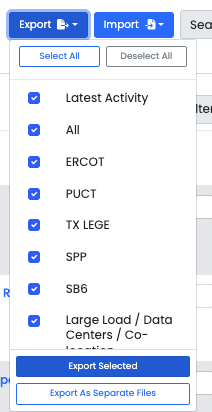
Export is useful when you need to share a track, perform additional analysis, prepare an internal report, or work with your followed items in a spreadsheet.
The "Export Selected" button exports all tabs as one .xlsx file with multiple sheets.
Import a supported watch list
Use Import when you need to add or manage a larger set of supported items from a prepared file.
- Open Following and select Import.
- Use the required format.
- Rows 1 and 2 of a .csv or .xlsx file are reserved for Column Headers.
- ERCOT Issues must be ALL CAPS. ie, NPRR1234, no space between the RR type & number.
- PUCT Project & Dockets are the numbers only, ie 58481.
- Legislative Bills must indicate session number/type & Chamber, ie 89R-SB, or 88R-HB5066
- Select the the Auto Import Tags button if you're importing an export someone made with GridMonitor, and you'd like obtain their Tag structure.
- Upload the prepared file.
- All successfully uploaded items will automatically be Followed.
- Review the import result and confirm that the expected items were added.

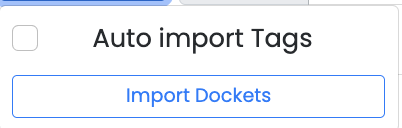
TIP: For a small number of items, Following them directly in Grid Monitor is usually faster. Import is most useful for larger lists.
Last updated: 9/16/26, 8:23 PM