
Monitoring in Grid Monitor
What is Monitoring?
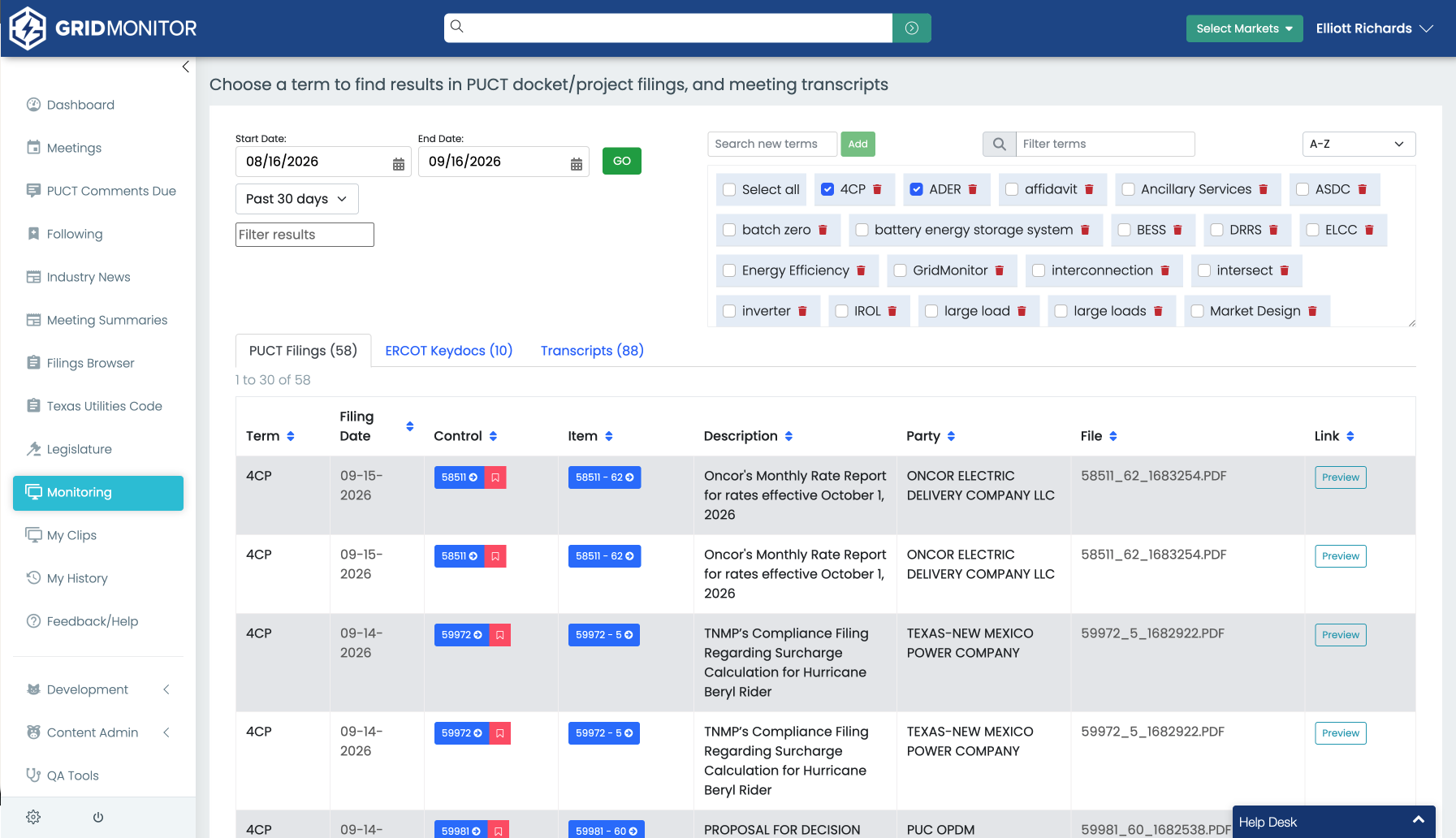
Monitoring is Grid Monitor's keyword-tracking feature. Create terms for the topics, organizations, technologies, projects, or issues you care about, and Grid Monitor looks for those terms across supported sources.
- Topics: large load, resource adequacy, co-location, congestion
- Technologies: battery storage, nuclear, solar, distributed generation
- Companies and organizations: clients, utilities, developers, trade associations, competitors
- Projects and facilities: facility names, transmission projects, developments, geographic references
- Regulatory terminology: behind-the-meter, interconnection agreement, load shed, firming
Following vs. Monitoring
Follow a known item. Monitor a topic that could appear across many items.
For example, Follow PUCT Project No. 58317, ERCOT issue PGRR144, or 89R-SB6 when you already know that proceeding matters. Monitor "resource adequacy" or "data center" when you want Grid Monitor to surface where those terms appear across supported content.
What Monitoring searches
Current Monitoring coverage includes supported meeting transcripts, PUCT filings, and ERCOT KeyDocs.
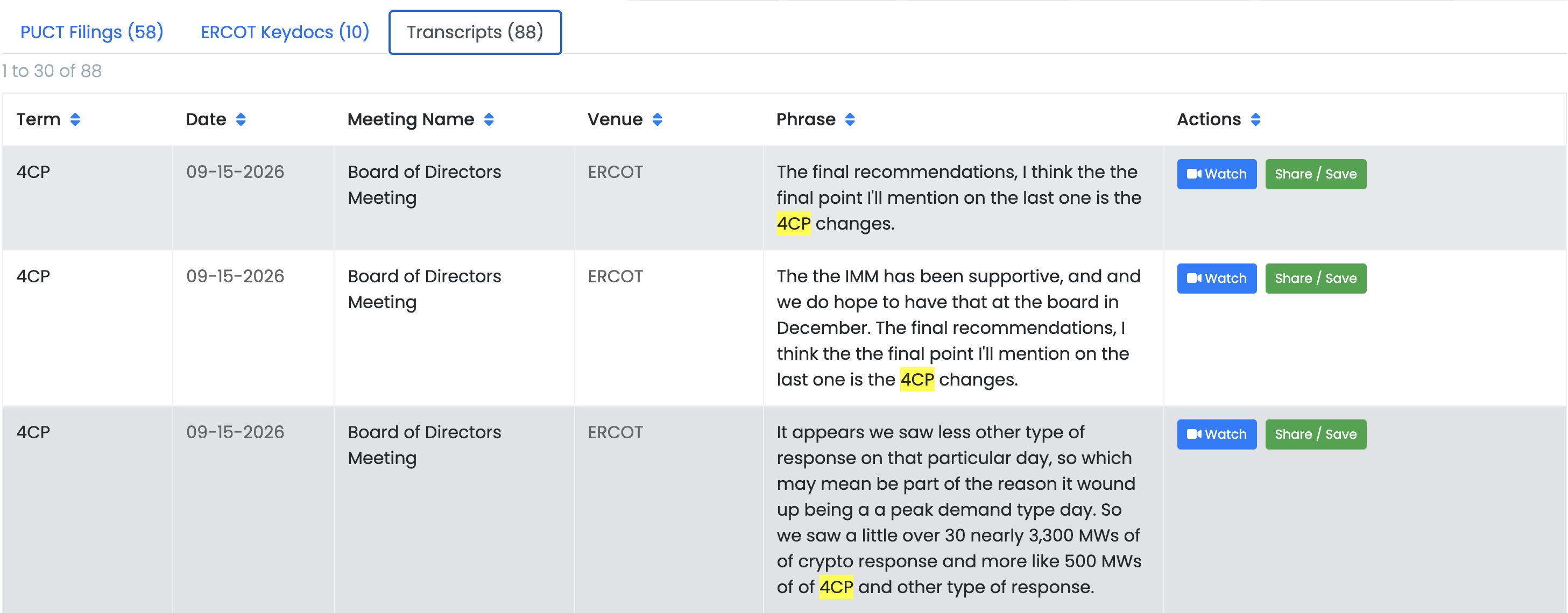
Meeting transcripts
When a monitored term appears in a supported meeting transcript, GridMonitor connects the match to the meeting and relevant point in the discussion so you can review the surrounding context and return to the video when available.
PUCT filings
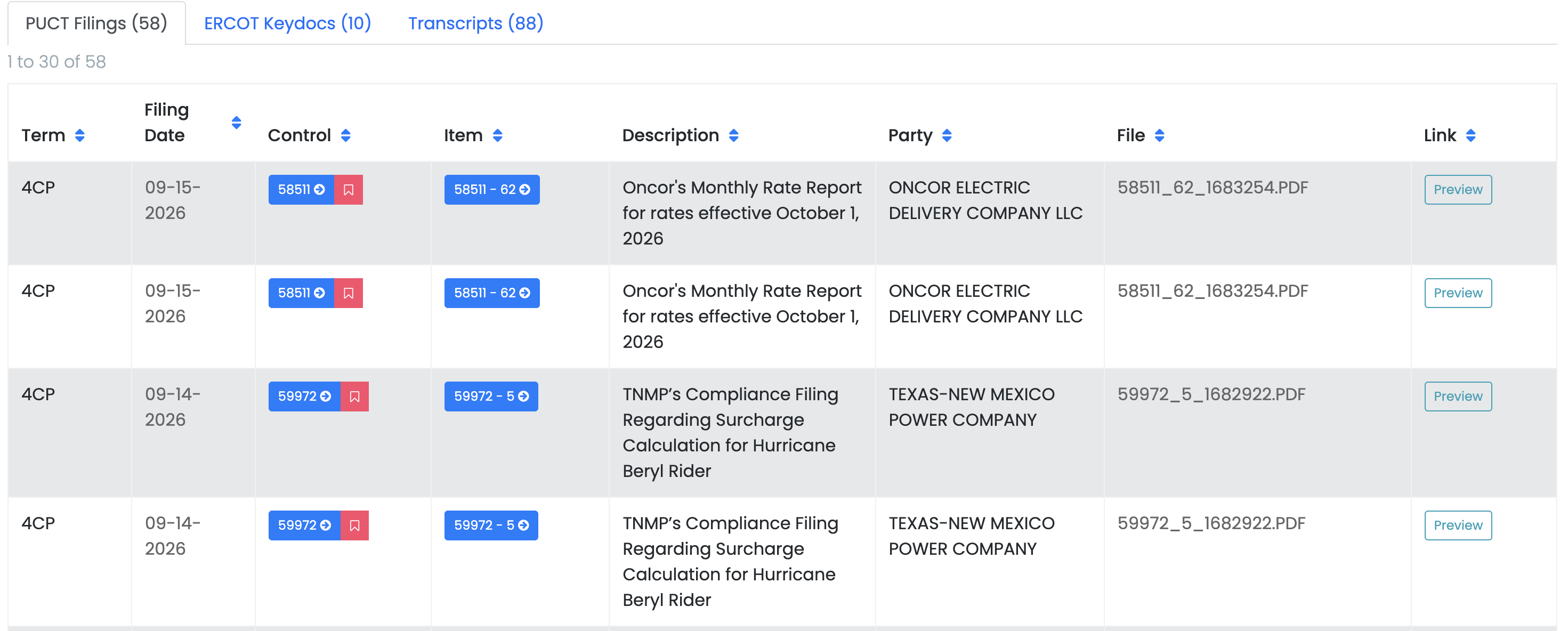
When a monitored term appears in a supported PUCT filing, GridMonitor connects the match to the filing and related project or docket. Open the filing to review the source document, submitting party, description, preview, and available AI overview.
ERCOT KeyDocs
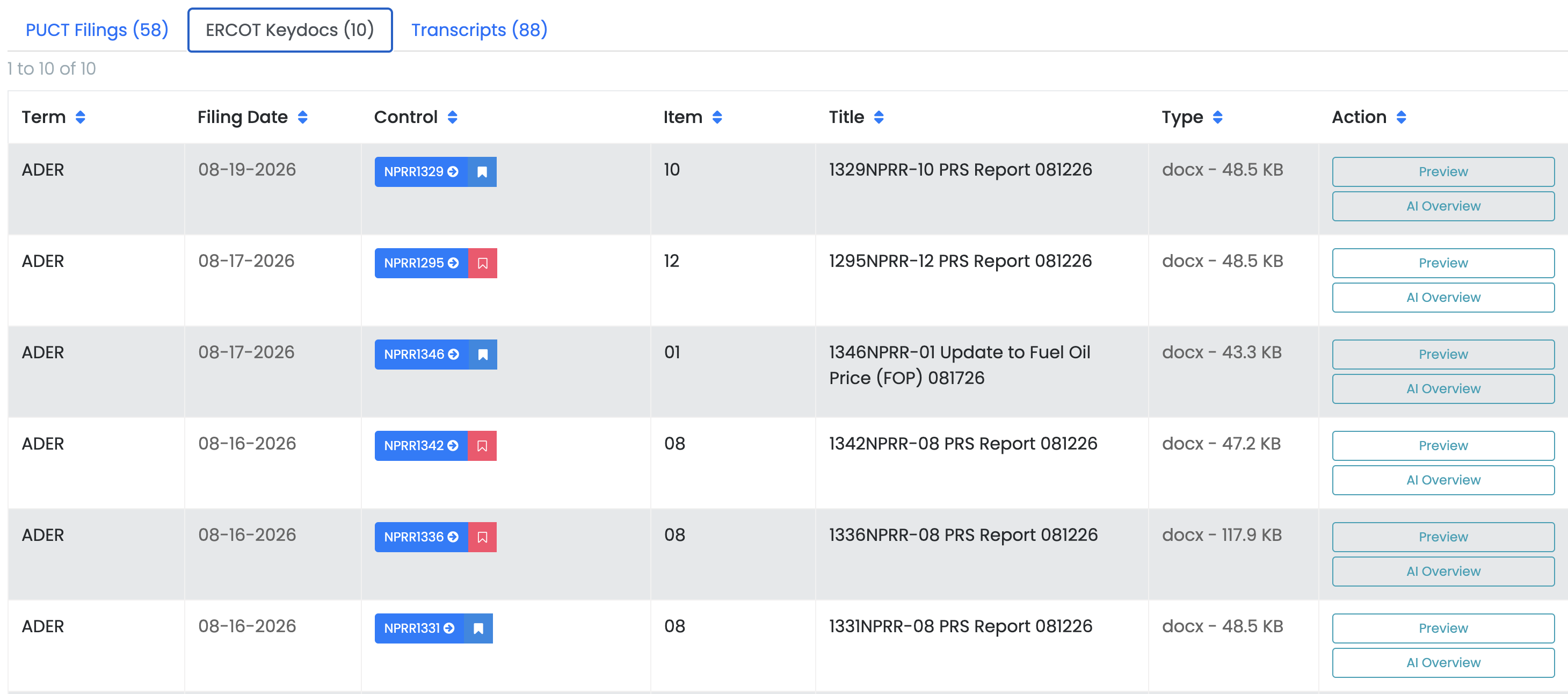
Monitoring also searches supported ERCOT KeyDocs. This helps surface important terms when they appear in ERCOT presentations, reports, or other key documents, even when the match is not part of a formal PUCT filing or meeting transcript.
Create a Monitoring term
- Open Monitoring from the main navigation bar.
- Add a new term or phrase.
- Enter the wording you want GridMonitor to watch.
- Save the term.
- Review new matches in Monitoring and in your Grid Monitor Afternoon Update.
NOTE: Be sure to click this button at the bottom of the email
The Monitoring portion of the email is usually clipped by email clients.

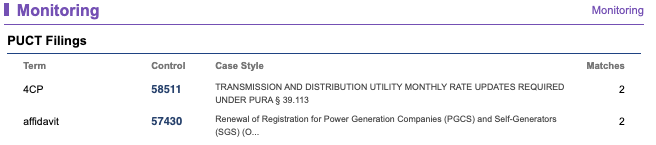
Use phrases when possible
Specific phrases usually create more useful results than broad single words. "Large load" is typically more actionable than "load," and "data center" is more useful than "center."
Consider variations of important terms
Different participants may use different language for the same issue. For an important topic, consider a small group of related terms.
- large load
- data center
- co-location
- co-located load
- large flexible load
Monitor organization names carefully
Regulatory documents may use a company's formal legal name while meeting participants use a shorter name or acronym. For a high-priority organization, consider whether both versions are useful Monitoring terms.
Review a Monitoring match
- Look at the source where the match occurred.
- Read the surrounding context rather than relying on the matched phrase alone.
- Open the underlying filing, transcript, or KeyDoc when the result is substantive.
- If the match reveals a specific docket, bill, control, or proceeding that now matters to you, Follow that item.
Use Monitoring as an early-warning system
Important regulatory issues do not always begin with a new docket or a major announcement. A topic may first appear in a stakeholder filing, a meeting discussion, an ERCOT presentation, or another supporting document. Monitoring gives you a way to catch those signals before they become items you already know to track.
Recommended workflow
- Identify the subject you care about.
- Create several focused Monitoring terms.
- Review new matches in Grid Monitor or your Monitoring email.
- Open important source material for context.
- Follow any specific docket, revision request, bill, or other item that becomes relevant.
- Update your Monitoring terms as the language around the issue evolves.
TIP: If there is a subject you regularly type into search, it is probably a good candidate for Monitoring.