
Welcome to Grid Monitor
Grid Monitor brings regulatory activity, market meetings, filings, legislation, documents, transcripts, news, and the items you care about into one workspace. It is designed to help you spend less time searching across different websites and more time understanding what changed, what was discussed, and what needs your attention next.
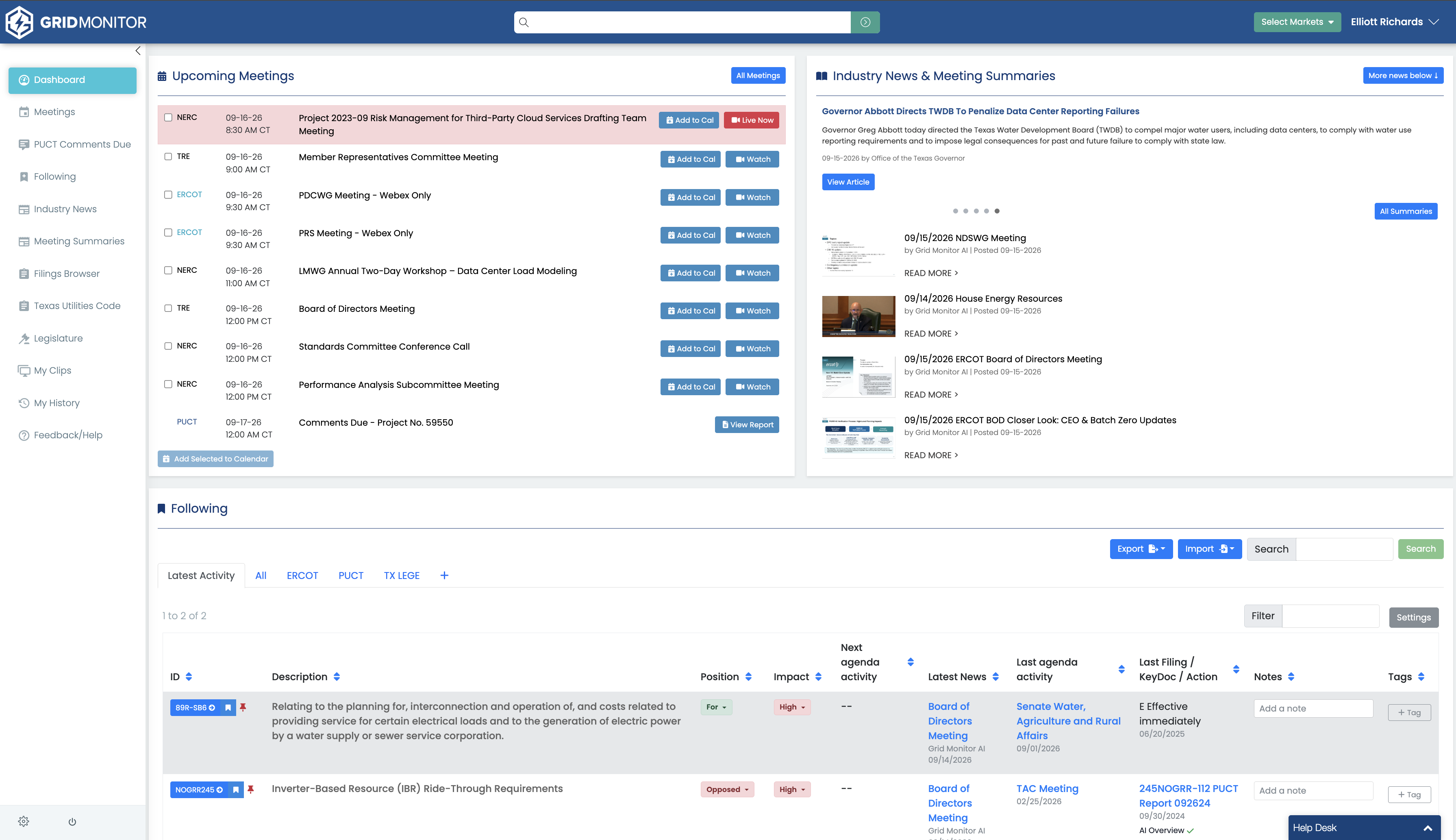
What You Can Do in Grid Monitor
- Watch live and archived regulatory and market meetings.
- Use Smart Agenda, transcripts, summaries, clips, and supporting documents to move directly to the part of a meeting you need.
- Follow specific regulatory items such as ERCOT revision requests, PUCT projects or dockets, Texas Legislative bills, SPP RRs & SIRs, with more to come.
- Monitor keywords and phrases across supported transcripts, PUCT filings, and ERCOT KeyDocs.
- Search across supported Grid Monitor content when you need to research a person, company, project, rule change, bill, or topic.
- Review filings, documents, AI overviews, curated industry news, and legislative activity without jumping between outside systems.
The Two Features to Learn First
If you are new to Grid Monitor, start with Following and Monitoring. They solve two different tracking problems.
Following = I know the specific item I care about.
Monitoring = I care about a topic, name, or word and I want Grid Monitor to find where it appears.
For example, you might Follow an ERCOT revision request and a related PUCT project while Monitoring terms such as "large load", "data center", "4CP", or "Ancillary Services" to discover activity outside the items you already know about.
Recommended First 10 Minutes
- Select the markets and venues relevant to your work.
- Review the next meeting or deadline on your Dashboard.
- Follow three to five items you work on regularly.
- Create one or two Monitoring terms for topics or organizations you care about.
- Open a recent meeting and use Smart Agenda or Meeting Summaries to jump to a specific discussion.
- Try Global Search with a company name, docket number, revision request, bill number, or policy term.
TIP: You do not need to configure everything on day one. Following a few important items and adding a few targeted Monitoring terms is enough to make Grid Monitor immediately more useful.

Last updated: 9/16/26, 2:17 PM