
Grid Monitor Afternoon Update
Grid Monitor sends an Afternoon Activity Update at the end of each day to help you quickly review what changed across the markets and issues you care about.
The email combines three types of information:
- New regulatory items published that day
- Activity in items you Follow
- Matches from your Monitoring terms
This gives you one daily place to review new activity without having to repeatedly check each venue throughout the day.
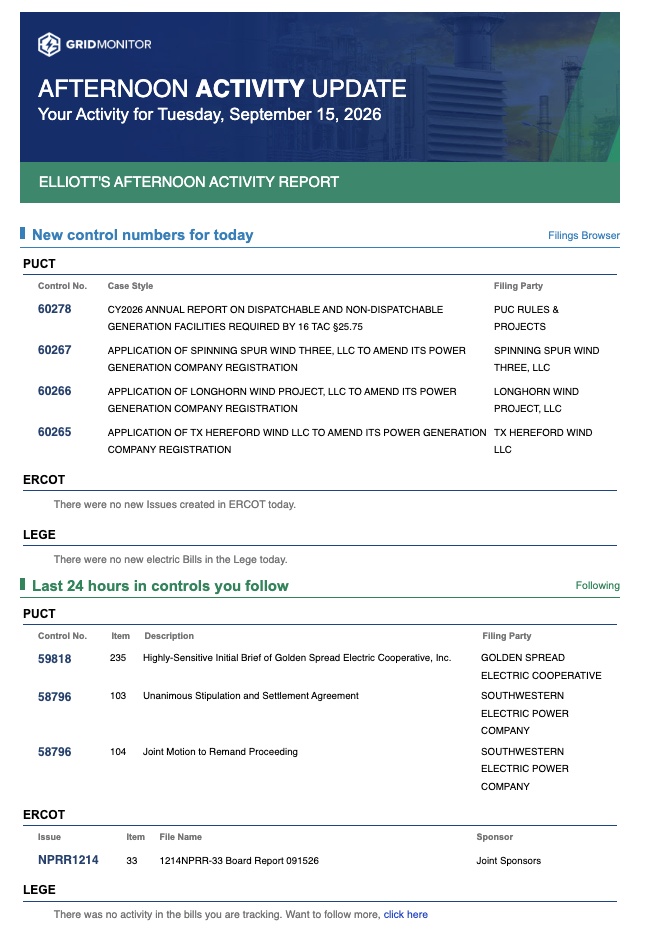
New control numbers for today
The first section of the email highlights new regulatory items created that day, even if you are not already following them.
Depending on the day's activity, this can include:
PUCT
New PUCT projects or dockets published that day.
The email shows information such as the:
- Control number
- Case style
- Filing party
ERCOT
New ERCOT issues created that day.
- ERCOT issue number
- Description
- Sponsor
Texas Legislature
During legislative bill filing, Grid Monitor can also show new bills added to Grid Monitor's Electric Only coverage that day.
If there are no new qualifying bills, the email will indicate that no new Electric Only bills were added.
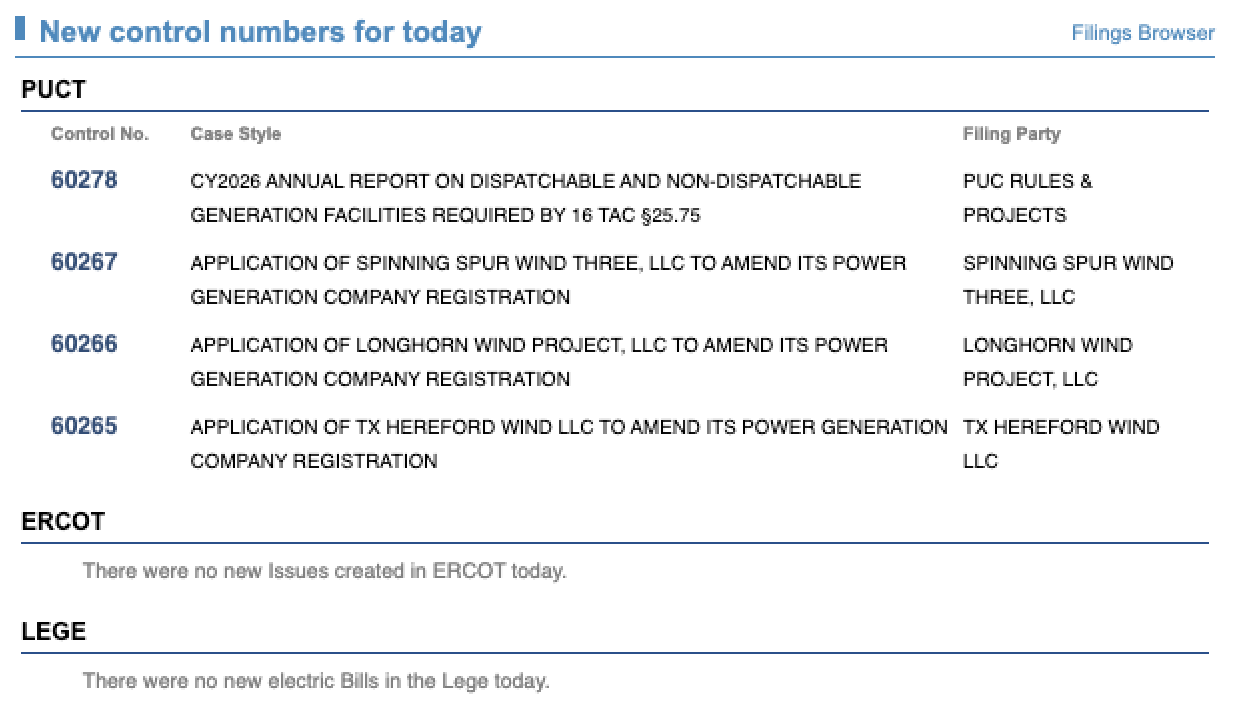
Last 24 hours in controls you Follow
The next section focuses specifically on items you have chosen to Follow in Grid Monitor.
It summarizes activity from the previous 24 hours so you can quickly see which of your tracked items changed.
PUCT items you Follow
For PUCT projects or dockets you Follow, the email shows new filing activity, including information such as:
- Control number
- Item number
- Filing description
- Filing party
ERCOT items you Follow
For ERCOT issues you Follow, the email shows new documents or filing activity associated with those issues.
This can include the:
- ERCOT issue number
- Item number
- File name (contains the commenter)
- Sponsor
Bills you Follow
For Texas legislation you Follow, the email highlights movement in those bills.
When a tracked bill changes, Grid Monitor shows the latest action or status and how it has moved from its previous state.
This makes the Following section useful as a daily change report for the specific regulatory items that matter most to you.
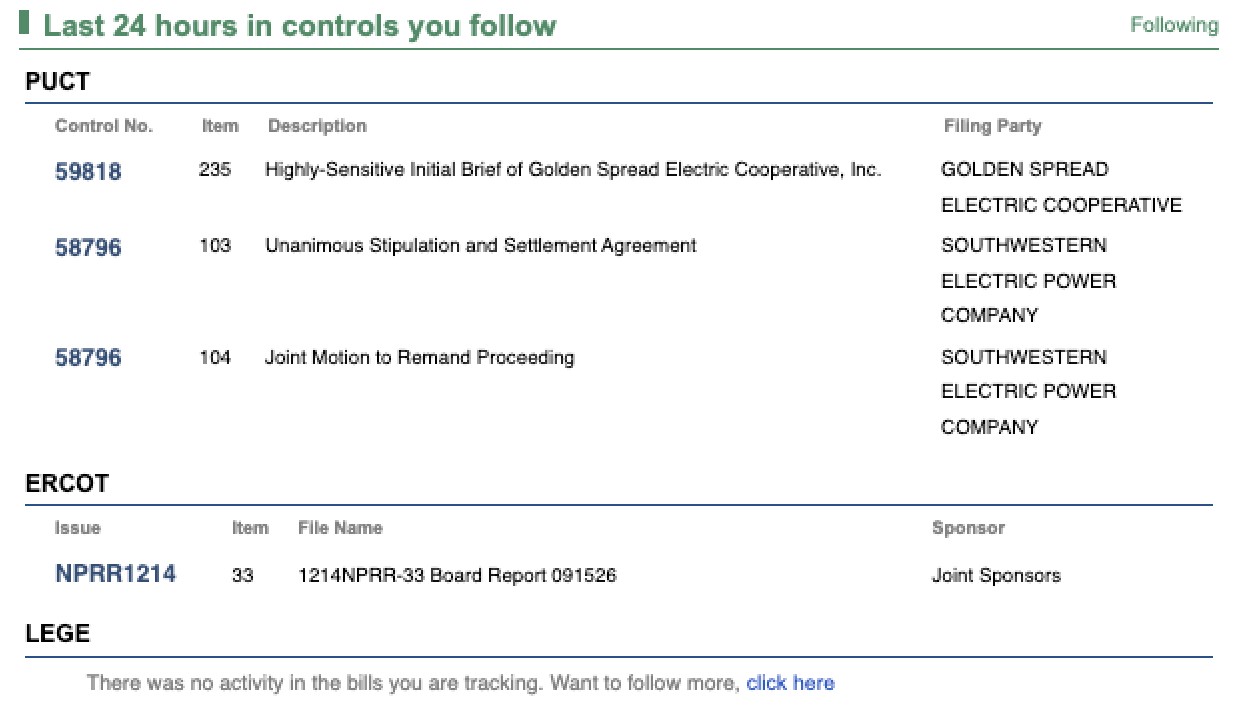
Monitoring matches
The bottom portion of the Afternoon Activity Update is dedicated to Monitoring.
Monitoring searches supported Grid Monitor content for the words and phrases you have chosen to track and surfaces new matches found that day.
PUCT filing matches
The PUCT Filings section shows filings where one or more of your Monitoring terms were found.
For each result, you can see information such as:
- Monitoring term
- PUCT control number
- Case style
- Number of matches
A single term may appear across several different PUCT projects or filings.
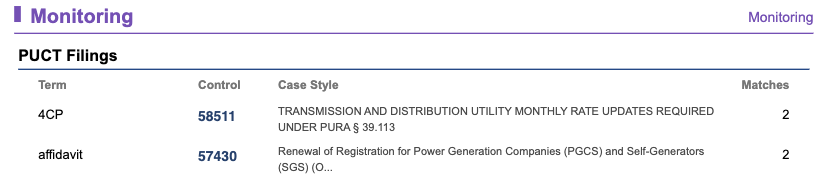
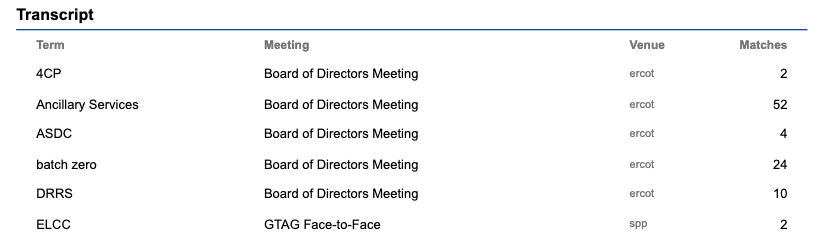
Transcript matches
The Transcript section shows meetings where your monitored terms were mentioned.
For each match, the email can show:
- Monitoring term
- Meeting
- Venue
- Number of matches
This can help surface discussions across ERCOT, PUCT, the Texas Legislature, SPP, NERC, and other supported meeting coverage without requiring you to search every transcript individually.
ERCOT KeyDocs
ERCOT KeyDocs Monitoring matches are also being added to the afternoon email.
Once available, this section will surface monitored terms found in newly published ERCOT KeyDocs alongside your filing and transcript matches.
How to use the afternoon email
The email is designed to be a quick daily review rather than a replacement for the underlying Grid Monitor pages.
A useful workflow is to:
- Review the new items section for projects, issues, or bills you may not already know about.
- Review Last 24 hours in controls you Follow for activity in items already important to you.
- Scan Monitoring for unexpected mentions of companies, technologies, market concepts, or other terms you care about.
- Open the relevant Grid Monitor link when something needs deeper review.
- Follow a newly discovered item if you want Grid Monitor to continue tracking its activity for you.
Email preferences
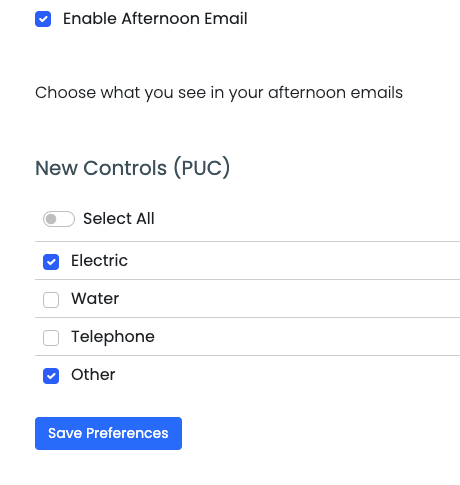
Grid Monitor also provides email preferences that let you control some of the activity included in your notifications.
For new PUCT projects and dockets, you can currently select which utility types you want to be notified about:
- Electric
- Water
- Telecommunication
- Other
This allows you to reduce unrelated activity and focus the daily email on the areas most relevant to your work.
Additional email preference controls are being developed so users can further customize what appears in their Grid Monitor notifications.
Following vs. Monitoring in the email
The two features serve different purposes:
Following tells you what changed in a specific item you already know you care about, such as a PUCT project, ERCOT issue, or Texas bill.
Monitoring tells you where a word, phrase, company, or topic appeared across supported Grid Monitor content.
Used together, the afternoon email gives you both:
- A daily update on the regulatory items you intentionally track
- An early-warning system for topics that may appear somewhere you were not already watching
TIP: Think of the Afternoon Activity Update as your daily exception report: new items worth noticing, movement in the items you Follow, and new Monitoring matches that may require your attention.